
-

 Sale
Smart Lock
Vendor:SEEKERITYRegular price €59,95 EURRegular price€74,95 EURSale price €59,95 EURSale -
Travel Essentials Kit
Vendor:SEEKERITYRegular price €89,95 EURRegular price€114,90 EURSale price €89,95 EURSale -

 Sale
Smart Tracking Card
Vendor:SEEKERITYRegular price €34,95 EURRegular price€39,95 EURSale price €34,95 EURSale -

 Sale
Smart Cardholder
Vendor:SEEKERITYRegular price €59,95 EURRegular price€69,95 EURSale price €59,95 EURSale -
Smart Passport Holder
Vendor:SEEKERITYRegular price €59,95 EURRegular price


Travel Gear — Track Your Passport, Luggage and Essentials with Apple Find My
Of everything you carry on a trip, a lost passport is the one that can actually ruin it — not just an inconvenience like a misplaced phone charger, but a document that can strand you in a country, cost days queuing at an embassy, and turn a holiday or a work trip into a logistics problem. Everything in this collection is built around the same idea: give the things you can least afford to lose on the road — your passport, your suitcase, your cards — Apple Find My tracking from the moment you pack, not a separate gadget you have to remember to add.
To be upfront about what that does and doesn't mean: none of this replaces travel insurance, a photocopy of your passport's data page, or common sense about where you leave your bag. What it does is close the gap between "I think I left it somewhere" and actually knowing where, in the thirty seconds it takes to open the Find My app you already have on your iPhone — before a left-behind laptop bag becomes a missed flight, or a passport in a hotel safe becomes a frantic search the morning of checkout.
Why build Find My tracking into your travel gear?
- Apple Find My built in — locate your passport holder, luggage lock or cardholder from the Find My app already on your iPhone, with nothing extra to install
- No subscription, one Apple ID — every item in this collection joins the same Find My account as your iPhone and AirPods, with no separate app, login or monthly fee
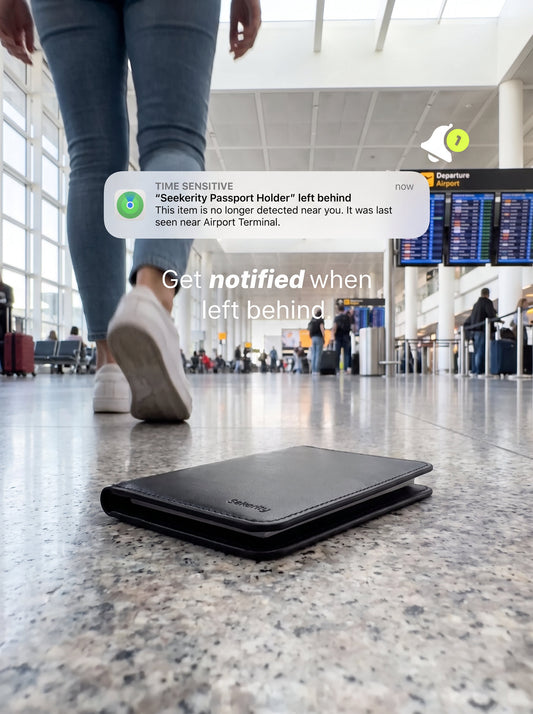
- Left-behind alerts — get notified the moment you walk away without it, whether that's a hotel room, a train seat, or airport security
- Works away from your own iPhone — Find My relies on nearby Apple devices generally, not specifically yours, which matters most exactly when you're abroad and your own phone might be in airplane mode
- No separate AirTag to pack — the tracking is built into the passport holder, lock or card itself, so there's nothing extra to buy, charge separately, or forget to bring
- Real, checkable specs — dimensions, battery capacity and materials are listed plainly below, not left as vague marketing language
Meet the travel collection
Smart Passport Holder
The newest piece in this collection and the one most people land here for: a slim PU passport holder, 140 x 103 x 8mm, with Apple Find My tracking built directly into the cover rather than a slot for a separate AirTag. It's sized to hold your passport alongside a boarding pass, three cards and some cash, so it replaces a bare passport sleeve rather than adding a second item to carry. Tracking features include location tracking through the Find My network, a built-in audio alarm (buzzer) you can trigger remotely to find it by ear, and a one-click find action for quickly locating it when you're already close by. It runs on a 100mAh battery topped up via wireless charging — no coin cell to replace, no charging cable to pack, just rest it on any Qi charging pad you're already carrying for your phone.
Worth being direct about: it's built for iOS, specifically for Apple's Find My network, so it works for iPhone users and does not track from an Android phone. And it doesn't do anything to protect the passport itself from damage, water, or a border agent who wants it stamped a certain way — it protects against the single most common passport problem, which is simply not knowing where it is.
Smart Lock
A TSA-approved luggage lock with the same Find My tracking built into its body, for the suitcase or backpack the passport holder doesn't cover. "TSA-approved" here refers to the lock mechanism itself — it carries the Travel Sentry recognition that lets airport security open and re-lock it with a master key during an inspection, instead of cutting it off your zipper — which is a separate thing from any battery or electronics rule, covered in its own section below. Built from metal rather than a plastic combination lock, it's designed to resist impact and tampering on a baggage carousel, and it connects to Find My so you can check your suitcase's last known location and get an alert if it's moved unexpectedly, available in Black or White.
Travel Essentials Kit
A bundle pairing the Smart Lock with the ultra-thin Smart Tracking Card, for anyone who wants two points of coverage — the suitcase itself and something slipped inside it or into a day bag — set up in one purchase rather than two. It's worth noting plainly that this bundle currently contains the Lock and the Card, not the Smart Passport Holder; if you want all three tracked, the Passport Holder is added separately. From check-in to arrival, the idea is the same across all three: open Find My, see where things are, and get warned before you've walked away from one of them.
Smart Tracking Card
An ultra-thin, credit-card-shaped Find My tracker that slides into a wallet, a passport pouch, or a luggage pocket where a round AirTag wouldn't sit flat. It has its own dedicated collection with full buying guidance; here, it's the natural pairing for anyone who wants a second tracked item alongside the passport holder or the lock without carrying a second wallet-shaped product.
Smart Cardholder
A standalone cardholder with Find My built in and room for up to 12 cards plus a cash clip, for travellers who'd rather carry one tracked wallet-replacement than a passport holder and a separate card wallet. It's covered in depth in the Smart Wallets collection; it earns a place here because for a lot of trips, the cardholder and the passport holder end up doing the same job — holding the things you can't easily replace on the road — and some travellers prefer one over having both.
How Apple's Find My network works when you're travelling
It's worth understanding what actually happens when you tap "locate" on a passport holder or a luggage lock, because it isn't GPS and it isn't live tracking in the way a car tracker works. None of these items contain a GPS chip — that would need a battery far larger than fits inside a slim passport cover or a lock body. Instead, each one broadcasts a low-power, rotating Bluetooth signal that any nearby Apple device can pick up, without that device's owner doing anything or even knowing.
When an iPhone, iPad or Mac — anyone's, not just yours — passes within Bluetooth range, it quietly notices the signal, encrypts the location it's standing in, and relays that encrypted report to Apple's servers. Only you can decrypt it, using the key tied to your own Apple ID; Apple's own description of the system is explicit that Apple itself can't read the location data. Open Find My and you'll see your passport holder's last known location on a map, time-stamped to whenever a device last relayed a sighting — not a continuous live feed, but an update every time someone's iPhone walks past.
This is exactly why it still works when your own iPhone is somewhere else — in airplane mode on the plane, or left in a hotel room while you're out. You're not relying on your own phone to find the passport holder; you're relying on whichever stranger's iPhone happens to walk past with Bluetooth on, which on iOS is the overwhelming majority of devices by default. The one honest caveat for travel specifically: how often that happens depends on how many Apple devices are actually nearby. Coverage tends to be dense and the map updates quickly throughout the EU, the UK, the US and much of East Asia, simply because iPhone ownership is high in those regions. In places with lower Apple device density — remote areas, some countries where Android dominates the market — the map can go longer between updates, the same way an AirTag would behave in the same location. That's a property of the network everywhere it's used, not something specific to these products, but it's worth knowing before a trip to a region you're less familiar with.
Precision Finding and the U1 chip — what these items don't have
In the interest of not overselling what this collection does, it's worth being specific about the one feature a genuine Apple AirTag has that nothing here includes: Precision Finding. AirTag contains Apple's Ultra Wideband (U1) chip, which turns the Find My app into a literal compass — an arrow, a distance in metres, a direction to walk — once you're close enough, on iPhone 11 and later models that also carry a U1 or U2 chip.
None of the items in this collection include that chip. Once you're in the same room, car, or airport terminal as a lost passport holder or suitcase, you're back to the two tools that predate Precision Finding: the last-known-location map, which gets you to the right hotel room or the right carousel, and the built-in audio alarm or "Play Sound" feature, which gets you the rest of the way by ear. For a passport — usually buried in a bag, a safe, or a seat-back pocket rather than lost somewhere genuinely large — that's a reasonable trade, and it's the same trade every Seekerity product makes to stay slim and travel-friendly. If centimetre-accurate walking directions are a hard requirement, a standalone AirTag remains the only item in Apple's own lineup that offers it; worth knowing honestly rather than finding out after a trip.
Lithium batteries, wireless charging and airport security — what the rules actually say
Anything with a battery raises a fair question before a flight, so it's worth answering with the actual numbers rather than a vague "it's fine." The Smart Passport Holder uses a 100mAh rechargeable battery, charged wirelessly rather than through a removable cell. At typical lithium battery voltages, 100mAh works out to well under half a watt-hour of capacity — for context, every major airline's carry-on allowance for a spare lithium-ion battery sits at 100Wh without special approval, so this is a small fraction of even the strictest limit, and that limit is aimed at spare batteries carried loose in the first place, not a sealed cell built into a passport cover.
That's a different rule from the one that made headlines around AirTags specifically. AirTag uses a removable CR2032 coin-cell battery with roughly 0.1 grams of lithium metal, and in 2022 the FAA confirmed that trackers of that kind are allowed in checked baggage because they fall under its 0.3-gram lithium-metal threshold for luggage trackers. That rule is specific to lithium-metal coin cells, not the lithium-ion/polymer chemistry used in a rechargeable, wirelessly-charged item like the Passport Holder or (where applicable) the Smart Lock — different battery type, different regulatory category, and in this case a smaller capacity regardless.
In practice, none of this tends to come up at security, for a simple reason: a passport holder goes through airport security and passport control in your hand or your carry-on by necessity, since you need the passport itself at both checkpoints. The general airline guidance to keep battery-containing electronics in carry-on rather than checked luggage — the same reasoning behind the advice to carry a laptop in your cabin bag — ends up being the natural result of carrying your passport the way you already would, not an extra step this product adds. And because the battery is sealed and rechargeable rather than a swappable cell, there's no loose spare battery to declare or carry separately, the way there would be with spare AirTag coin cells bought in bulk.
What a Find My passport holder can't do — the honest limits
It's worth being plain about where this product's usefulness actually ends, because a passport is a higher-stakes item than a wallet or a set of keys, and overselling a tracker here does more harm than it would for a lost phone charger.
A Find My passport holder doesn't prevent theft — it doesn't stop someone from taking your passport, it only helps you learn where it went afterward, and even that only works if the thief doesn't immediately strip the cover or kill power to the tracker. It doesn't do anything about a passport's actual validity — an expired passport, one without enough blank pages, or one that needs a visa stamp is exactly as much of a problem with a Find My holder as without one. It doesn't replace a photocopy or photo of your passport's data page, which is still the fastest way to prove your identity to an embassy if the physical document is genuinely gone. And it doesn't give you walking-direction Precision Finding, as covered above — in a large airport or a sprawling train station, the last-known-location map narrows things down to a building or an area, not an exact seat.
What it's actually good at is the far more common scenario: the passport left in a hotel safe after checkout, slipped between airplane seats, sitting in a jacket pocket at a restaurant, or handed back by a border officer and set down on a counter you then walk away from. Those are the situations a left-behind alert and a last-known-location map solve well, and realistically, they make up the large majority of passport "losses" people actually experience while travelling.
If your passport actually goes missing abroad — what to do
If Find My shows a location and it's somewhere you can reasonably go back to — a hotel room, a car, a restaurant table — that's the easy case, and it's what this collection is mainly built for. If it isn't, or the location hasn't updated in a way that helps, here's the honest, non-product sequence that actually matters, independent of anything Seekerity sells:
- Check Find My immediately, including the last-known-location timestamp — a location from six hours ago is still useful information to give to a hotel or a police report, even if it isn't live.
- Report it to local police if there's any chance of theft, not just loss. Most embassies require a police report before issuing an emergency travel document, and some travel insurance claims do too.
- Contact your country's nearest embassy or consulate as soon as possible — they handle this constantly and can usually issue an emergency passport or travel document faster than people expect, particularly with a photo ID and a copy of your passport's data page on hand.
- Keep a digital copy of your passport's data page — in your email, a password manager, or a cloud photo album — before you travel, since it's the single fastest way to prove who you are without the physical document.
None of that sequence involves this collection past step one. That's intentional: a tracker's honest job is to catch the problem before it becomes a "missing passport abroad" situation at all, not to solve that situation once it's already happened.
Buying guide: which travel piece fits your trip
- Flying internationally with your passport as the main worry? Start with the Smart Passport Holder — it's built around exactly that document, with room for a boarding pass, three cards and cash alongside it.
- Checking a suitcase? The Smart Lock adds Find My tracking to the bag itself, not just what's inside it, with TSA-recognised access for security inspections.
- Want both your suitcase and something smaller covered in one purchase? The Travel Essentials Kit bundles the Lock with the ultra-thin Smart Tracking Card — remember it doesn't include the Passport Holder, so add that separately if you want all three.
- Prefer one wallet-replacement over a wallet and a passport holder? The Smart Cardholder's 12-card-plus-cash capacity can do double duty, though it isn't shaped for an actual passport the way the Passport Holder is.
- Already have cards covered and just want one more trackable slot? The Smart Tracking Card is thin enough to slide into a bag pocket, a passport pouch, or anywhere a round AirTag wouldn't sit flat.
- Is your phone an iPhone? Every item here needs Apple's Find My network and an Apple ID — none of it tracks from an Android phone, which is worth confirming before buying if you're shopping for someone else.
- Charging habits matter too — the Passport Holder tops up wirelessly like an Apple Watch, so check you'll have a Qi charger available on the kind of trip you're packing for, rather than assuming a cable is included.
Compare the travel collection at a glance
| Item | What it tracks | Holds / fits | Battery | Price |
|---|---|---|---|---|
| Smart Passport Holder | Your passport itself | Passport, boarding pass, 3 cards, cash | 100mAh, wireless charging | €59.95 |
| Smart Lock | Your suitcase or bag | Zippers on most suitcases and backpacks | Not published | €59.95 |
| Travel Essentials Kit | Suitcase + one small item | Smart Lock + Smart Tracking Card bundle | See individual items | €89.95 |
| Smart Tracking Card | Anything card-sized | Wallets, pouches, thin bag pockets | Not published | €34.95 |
| Smart Cardholder | Cards and cash | Up to 12 cards + cash clip | Long-life, up to ~1 year per charge | €59.95 |
Prices are pulled live from each product page; check the individual product page for available variants. Battery figures are the manufacturer-published specifications where available — where a field says "not published," that detail isn't listed on the product page and isn't estimated here.
Care and durability
The Smart Passport Holder is a PU-material item, not full-grain leather or ruggedised plastic, so it responds best to the same care as any slim travel wallet: wipe it down with a dry or barely damp cloth, keep it out of prolonged direct heat such as a car dashboard in summer, and avoid overstuffing the passport, boarding pass, three cards and cash it's sized for beyond that intended capacity, which stresses the stitching over time. Since it charges wirelessly, there's no charging port to keep clear of sand or lint the way a cable-charged device would need.
The Smart Lock, being metal, tolerates baggage-handling knocks better than a plastic combination lock, but it's still a mechanical lock first — keep its shackle lubricated if it starts to stick, and treat the TSA-recognised keyway the same as you would any lock you rely on, by not forcing it if it resists.
On the battery side: a wirelessly-charged, low-power item like the Passport Holder is designed for long standby between charges, but exactly how many weeks or months that translates to isn't published by the manufacturer, so the safest habit is simply topping it up on a wireless charger whenever you charge your phone before a trip, rather than assuming it'll last an entire holiday untouched. If it's ever lost with the battery already flat, Find My can still show the last location it reported before power ran out — useful, but it won't update again until it's recharged and back in range of a passing Apple device, a limitation of any battery-powered tracker and not specific to this one.
Privacy and anti-stalking: how Apple protects against misuse
Anything that can report its own location raises a fair question: could someone use one to track a person without their knowledge, rather than tracking their own passport or suitcase? Apple built detection for exactly this into iOS, and it covers every Find My network accessory, not just AirTag. If an iPhone detects an unfamiliar Find My item — one not paired to that phone's own Apple ID — travelling with it over time and away from its owner, iOS proactively surfaces an alert along with the option to play a sound and instructions for locating and disabling it.
That protection was extended beyond Apple's own ecosystem in May 2024, when Apple and Google jointly published a shared industry specification for detecting unwanted location trackers — meaning Android users, who can't see Apple's Find My app at all, still get a native alert through Android's own unknown-tracker detection if an unfamiliar Find My accessory appears to be travelling with them.
For travel specifically, this matters in a slightly different way than it does at home: a passport holder or luggage lock planted on someone else's bag at a hotel or an airport would trip the same detection as an AirTag left in a car, which is a meaningful deterrent against the one genuinely concerning misuse case, separate from the everyday "find my own passport" use this collection is built for.
Frequently asked questions
Does the Smart Passport Holder work with Android phones?
No. It's built for Apple's Find My network and an Apple ID, so it's designed for iOS and iPhone users. It does not track from an Android phone.
Is an AirTag or Find My tracker actually allowed on a plane?
Yes. The FAA confirmed in 2022 that lithium-metal luggage trackers like AirTag, which contain about 0.1 grams of lithium against its 0.3-gram threshold, are allowed in checked baggage. The Passport Holder uses a different, smaller rechargeable battery (100mAh) that falls well under every major airline's lithium-ion allowance.
How does the Smart Passport Holder charge?
It charges wirelessly from any Qi charging pad, using a 100mAh battery. There's no cable port and no coin cell to replace.
What can the Smart Passport Holder hold besides the passport?
It's sized for a boarding pass, three cards and cash alongside the passport itself, so it's built to replace a bare passport sleeve rather than add a second item to your bag.
Does this collection use Precision Finding like an AirTag's arrow?
No. None of these items include Apple's U1/U2 Ultra Wideband chip, so there's no walking-direction arrow. You'll use the last-known-location map and the built-in audio alarm or "Play Sound" instead, which cover the large majority of real travel scenarios — a hotel room, a seat-back pocket, a bag.
Does "TSA-approved" on the Smart Lock mean it's cleared for lithium batteries?
No — "TSA-approved" refers to Travel Sentry recognition for the physical lock mechanism, which lets airport security open and re-lock it with a master key rather than cutting it off. It's a separate topic from battery or electronics rules.
What does the Travel Essentials Kit actually include?
The Smart Lock and the Smart Tracking Card. It does not currently include the Smart Passport Holder — add that separately if you want all three items tracked.
Can a Find My passport holder be tracked if my iPhone is in airplane mode?
Yes, as long as some other nearby Apple device has Bluetooth on. Find My relies on the wider network of Apple devices passing by, not specifically your own phone, so it keeps working even while your iPhone is switched off or in airplane mode.
Will Find My work as well in every country I travel to?
Coverage tracks how many Apple devices are nearby, so updates tend to arrive quickly across the EU, UK, US and much of East Asia, and more slowly in places with lower iPhone ownership. That's true of the whole Find My network, not specific to these products.
What should I do if my passport is actually stolen, not just misplaced?
Check Find My for a last-known location, report it to local police (most embassies require this before issuing a replacement), then contact your country's nearest embassy or consulate for an emergency travel document. A Find My tracker helps with the first step; it doesn't replace the rest of that process.
Does the passport holder protect against water or physical damage?
It's a PU-material cover, not a waterproof or impact-rated case. It's built to track your passport's location, not to protect the document itself from water, crushing or general wear.
Can someone use a Find My travel item to secretly track me?
Apple builds unwanted-tracker detection into iOS for every Find My accessory: if an unfamiliar one appears to be travelling with you, your iPhone proactively alerts you. Since May 2024 a joint Apple-Google standard extends similar detection to Android phones.
Do I need to re-pair any of these items if I give one as a gift?
No re-pairing needed on your end. Each item ships unpaired, and the recipient sets it up under their own Apple ID the first time they bring it near their iPhone.
What happens if the battery dies while the passport holder is lost?
Find My will still show the last location it reported before power ran out, which is often still useful, but it won't send a fresh location until it's recharged and back in range of a passing Apple device — a general limitation of battery-powered trackers, not specific to this one.